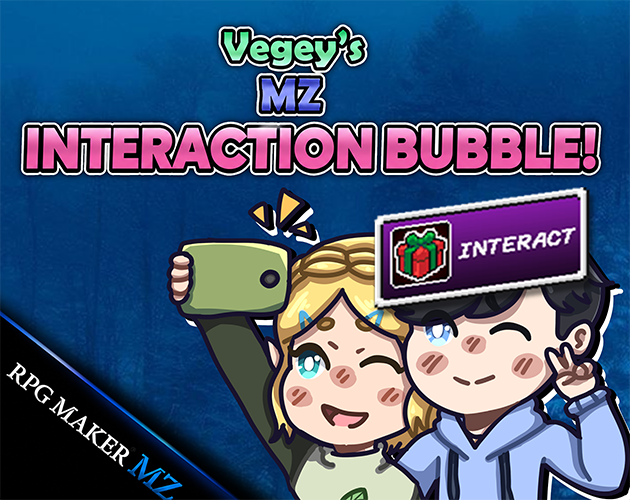
🌱 Veg's MZ Interaction Bubble
Version 0.9.0-preview released!
Veg_InteractionBubble v0.9.0-preview
A new preview update for Veg_InteractionBubble is now available.
This version focuses on structure, presentation, and positioning polish while preserving the existing feature set.
What changed?
- Updated the plugin version to v0.9.0-preview.
- Reorganized the internal code structure into clearer modules.
- Rewritten help text with a cleaner and more professional format.
- Reorganized Plugin Manager parameters with visual section dividers.
- Added new visual presets: Dark and Vegey.
- Preserved existing presets: Custom, Default, Minimal, and Pixel.
- Added public API aliases for cleaner script calls.
- Bubble Offset X/Y and Arrow Offset X/Y properly support negative values.
- Added Auto Sprite Height positioning support.
- Added Sprite Height Padding for better vertical spacing.
- Added per-event positioning notetags.
- Above Event and Above Player placement can use the current visible sprite height.
- Bottom Center mode is unchanged.
New visual presets
Dark
A simple dark translucent style designed for horror, mystery, and atmospheric projects.
Vegey
A more polished default-style preset with comfortable spacing and a cleaner presentation.
New API aliases
The old script calls still work, but this version also adds cleaner aliases:
Veg.InteractionBubble.setEnabled(true);
Veg.InteractionBubble.setDefaultButton("E");
Veg.InteractionBubble.setDefaultRadius(2);
Veg.InteractionBubble.setPreset("Vegey");
Positioning improvements
With Auto Sprite Height enabled, the bubble tries to appear above the visible character sprite instead of relying only on a fixed tile-based offset.
If the plugin cannot detect a valid sprite height, it safely falls back to the previous offset behavior.
New positioning notetags
<InteractionAutoHeight: true>
<InteractionAutoHeight: false>
<InteractionHeightPadding: 8>
Manual positioning still works
You can still use manual offsets, including negative values:
<InteractionBubble: Talk>
<InteractionAutoHeight: false>
<InteractionOffsetY: -96>
Compatibility note
Auto height uses the current Sprite_Character height.
If another plugin draws visuals outside of that sprite, manual positioning may
still be better:
<InteractionAutoHeight: false>
Status
This is still a public preview release. The core features are ready to use, but feedback is welcome, especially for pixel movement, 8-direction movement, UI readability, and visual preset behavior.
Get 🌱 Veg's MZ Interaction Bubble
🌱 Veg's MZ Interaction Bubble
Tiny interaction bubbles that make your RPG Maker events feel alive. 🌱
| Status | Released |
| Category | Tool |
| Author | VegetableDev |
| Tags | plugin, RPG Maker, RPG Maker MZ, tools, User Interface (UI) |
More posts
- My first plugin!3 days ago
Leave a comment
Log in with itch.io to leave a comment.