🌱 Veg's MZ Interaction Bubble
A downloadable tool
Veg’s MZ Interaction Bubble
Overview
Veg_InteractionBubble is a lightweight RPG Maker MZ plugin that adds native interaction prompts to map events.
Current Version: v0.9.0-preview
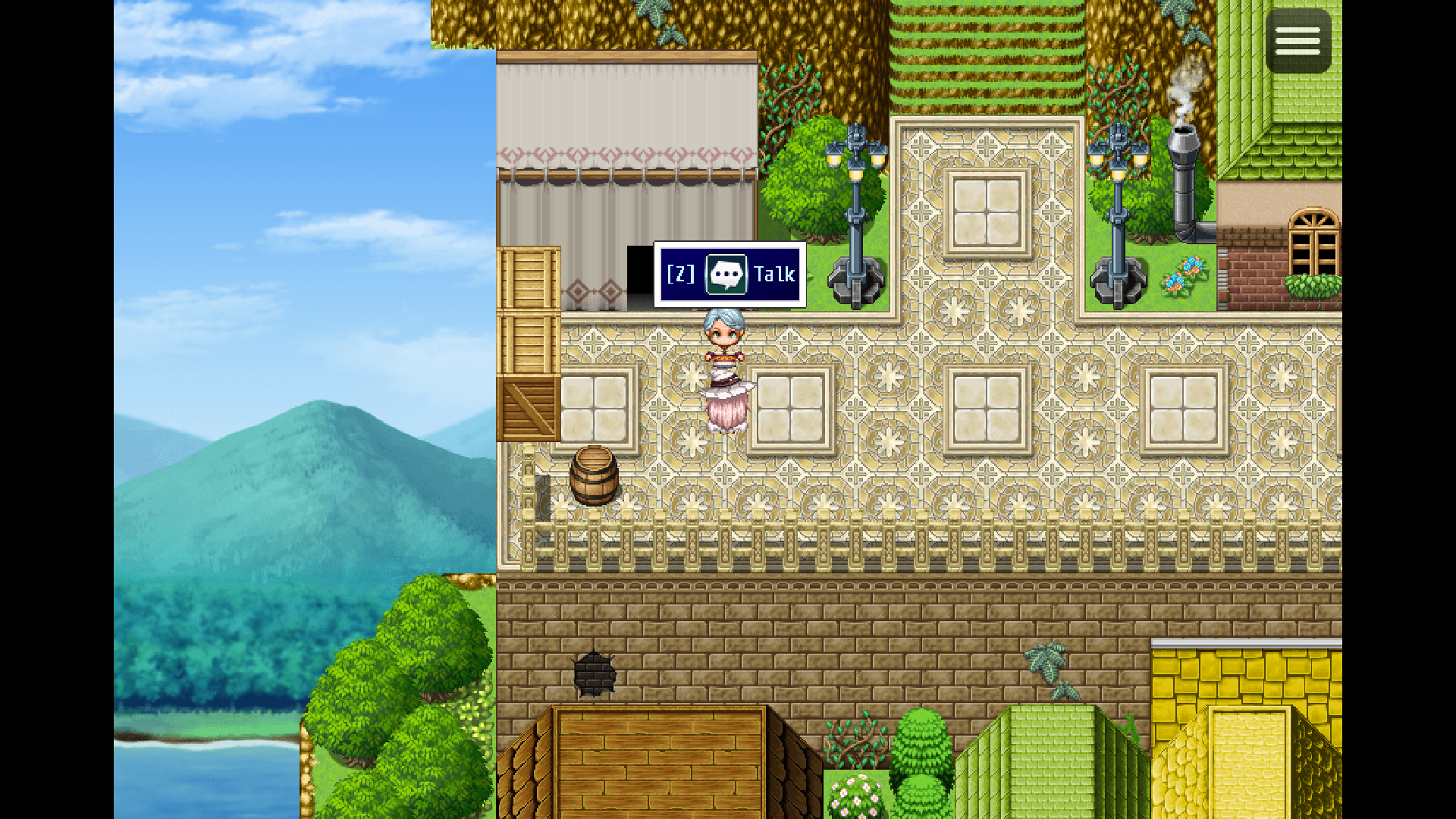
It can display prompts like:
[E] Talk
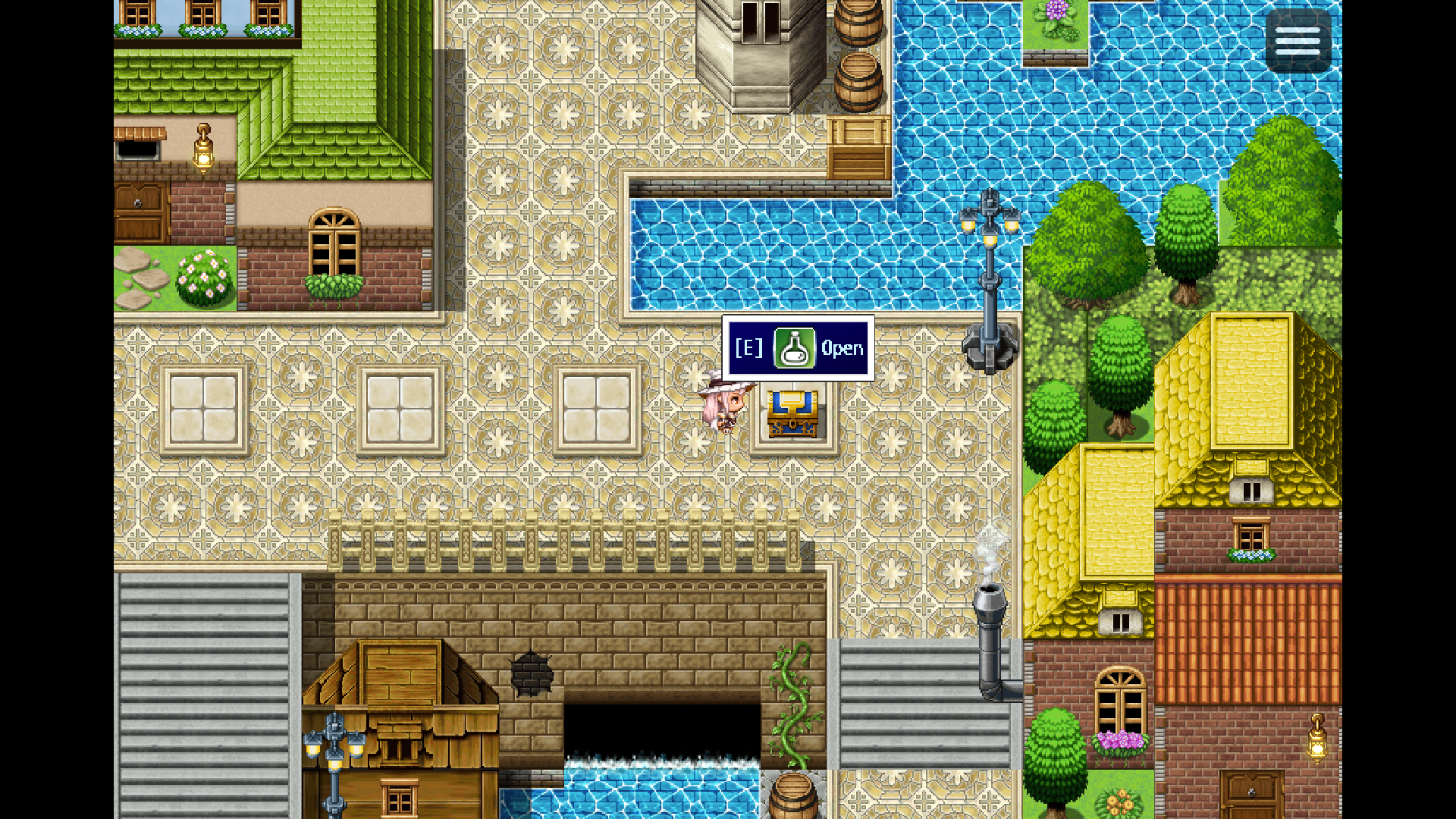
[E] Open
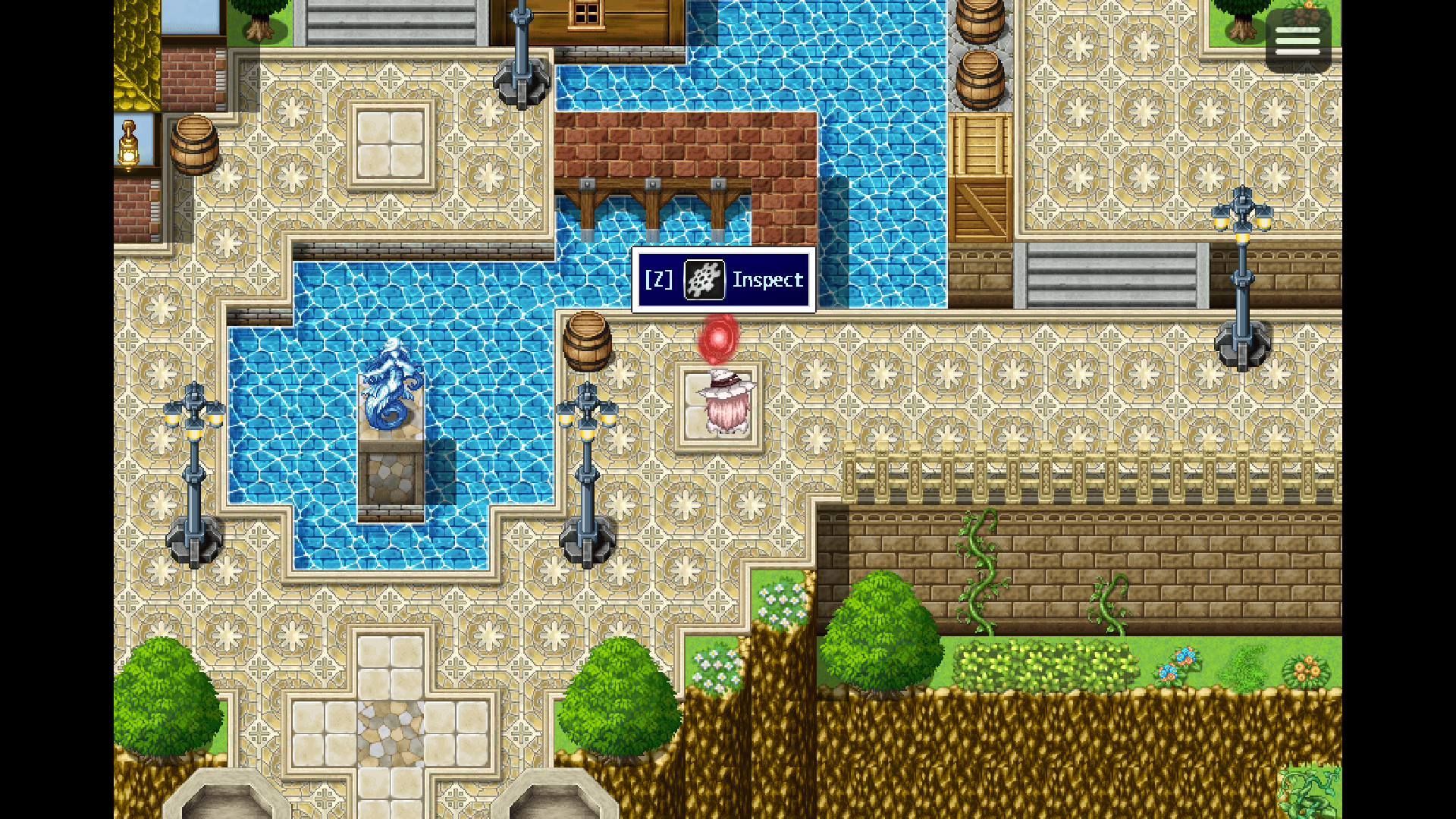
[E] Inspect
The goal is simple: make interactable events clearer, cleaner, and easier to read without replacing how your game already works.
This plugin works as a visual layer only. It does not replace event triggers, movement systems, collision systems, player input, or action battle systems.
Features
- Native RPG Maker
Window_Baseinteraction bubbles - Text prompts
- Optional button labels
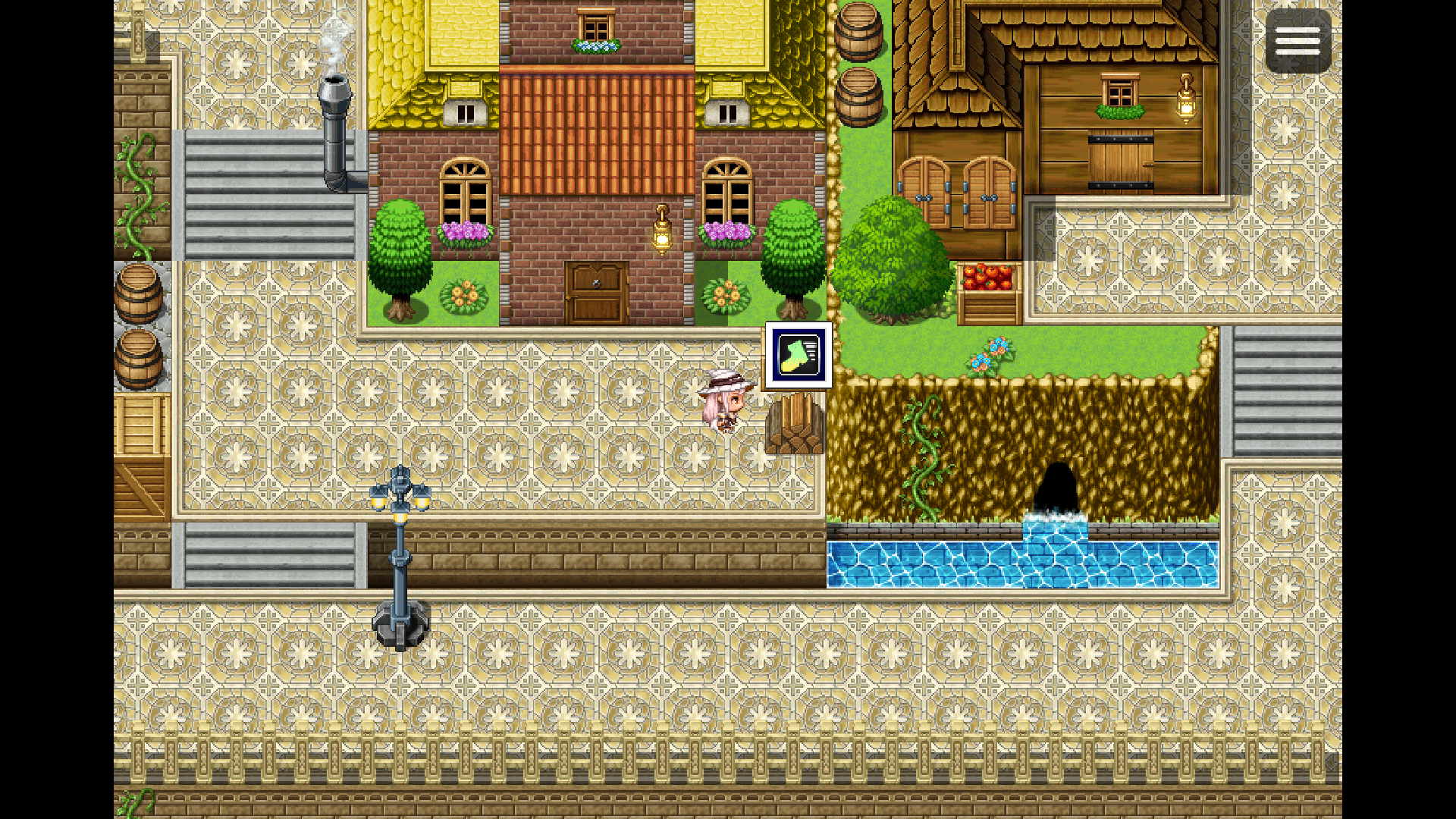
- Icons and icon-only prompts
- Inline
\i[n]icon support - Per-event interaction radius
- Per-event priority
- Optional facing requirement
- Native windowskin support
- Per-event windowskin override
- Visual presets: Custom, Default, Minimal, Pixel, Dark, and Vegey
- Per-event text color and font size overrides
- Optional arrow/tail support
- Auto flip near screen edges
- Target switch delay to reduce flickering
- Safe fallbacks for missing assets
- Designed as a read-only visual layer
- Friendlier with pixel movement, dot movement, and 8-direction movement setups
- Negative X/Y offset support
- Automatic sprite-height based positioning
- Per-event auto-height positioning control
- Cleaner public API aliases for script calls
- Reorganized internal structure for easier maintenance
Quick Start
Add a Comment command to an event page:
<InteractionBubble: Talk>
Walk close to the event, and the bubble will appear.
You can also use:
<InteractionPrompt: Talk>
<InteractionText: Talk>
Common Examples
Basic prompt:
<InteractionBubble: Talk>
Different button:
<InteractionBubble: Open>
<InteractionButton: E>
Icon + text:
<InteractionBubble: Open>
<InteractionIcon: 176>
Inline icon:
<InteractionBubble: \i[82] Inspect>
Icon only:
<InteractionOnlyIcon: 82>
No button:
<InteractionBubble: Read>
<InteractionButton: none>
Larger radius:
<InteractionBubble: Check>
<InteractionRadius: 2>
Facing required:
<InteractionBubble: Talk>
<InteractionFacing: true>
Higher priority:
<InteractionBubble: Enter>
<InteractionPriority: 10>
Different windowskin:
<InteractionBubble: Save>
<InteractionWindowskin: WindowDark>
Different visual preset:
<InteractionBubble: Talk>
<InteractionPreset: Vegey>
Custom event color:
<InteractionBubble: Talk>
<InteractionTextColor: #ffeeaa>
Custom event font size:
<InteractionBubble: Talk>
<InteractionFontSize: 18>
Manual negative offset:
<InteractionBubble: Talk>
<InteractionAutoHeight: false>
<InteractionOffsetY: -96>
Use automatic sprite-height positioning:
<InteractionBubble: Talk>
<InteractionAutoHeight: true>
Adjust spacing above the sprite:
<InteractionBubble: Talk>
<InteractionHeightPadding: 8>
Hide the bubble on a page:
<NoInteractionBubble>
Visual Presets
Default
Uses the project windowskin.
Minimal
A smaller and more discreet prompt style.
Pixel
A compact style suited for retro-style projects.
Dark
A dark translucent style designed for horror, mystery, and atmospheric projects.
Vegey
A polished preset with comfortable spacing and a cleaner presentation.
Custom
Uses your plugin parameter settings directly.
Positioning Tips
By default, Veg_InteractionBubble can try to place bubbles above the current visible sprite height.
This helps taller or shorter characters look better without manually guessing a fixed Y offset.
For most events, this should work naturally:
<InteractionBubble: Talk>
If you want full manual control, you can disable auto height for a specific event and use offsets:
<InteractionBubble: Talk>
<InteractionAutoHeight: false>
<InteractionOffsetX: 0>
<InteractionOffsetY: -72>
You can also adjust the spacing above the sprite:
<InteractionBubble: Talk>
<InteractionHeightPadding: 8>
Offsets can be positive or negative.
If another plugin draws visuals outside the normal Sprite_Character,
manual offset mode may be the best option.
Script Calls
Existing script calls are still supported:
Veg.InteractionBubble.enable();
Veg.InteractionBubble.disable();
Veg.InteractionBubble.refresh();
Veg.InteractionBubble.setButtonLabel("E");
Veg.InteractionBubble.setWindowskin("Window");
Veg.InteractionBubble.setVisualPreset("Minimal");
Veg.InteractionBubble.hideTemporarily();
Veg.InteractionBubble.showAgain();
This version also includes cleaner aliases:
Veg.InteractionBubble.setEnabled(true);
Veg.InteractionBubble.setDefaultButton("E");
Veg.InteractionBubble.setDefaultRadius(2);
Veg.InteractionBubble.setPreset("Vegey");
Compatibility Notes
This plugin was designed to avoid grid-only assumptions.
In Auto detection mode, it tries to use real or center positions first, then falls back safely for normal RPG Maker movement.
That makes it friendlier with pixel movement, dot movement, and 8-direction movement plugins.
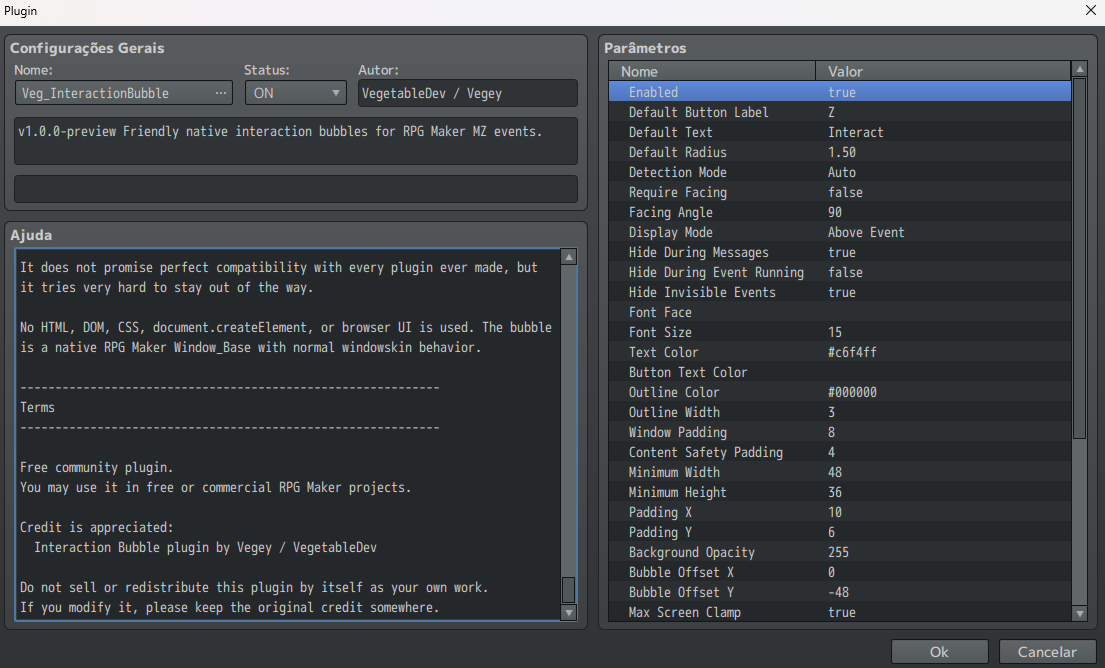
It does not promise perfect compatibility with every plugin ever made, but it tries to stay out of the way.
No HTML, DOM, CSS, document.createElement, or browser UI is used inside
the plugin. The bubble is a native RPG Maker Window_Base with normal
windowskin behavior.
Installation
- Download
Veg_InteractionBubble.js. - Place it inside your project’s
js/plugins/folder. - Open the RPG Maker MZ Plugin Manager.
- Add and enable
Veg_InteractionBubble. - Add
<InteractionBubble: Talk>to an event comment.
Current Status
This is a public preview release.
The core features are ready to use, but feedback is welcome, especially for:
- pixel movement compatibility
- 8-direction movement compatibility
- UI readability
- missing asset fallbacks
- visual preset suggestions
- bug reports
Known Limitations
- Full RPG Maker escape code support is not complete yet.
- Arrow polish depends on project-side arrow graphics.
- Presets are starter styles, not full visual themes yet.
- Auto sprite-height positioning uses the current
Sprite_Character. If another plugin draws extra visuals outside that sprite, manual offsets may work better.
Terms of Use
This is a free community plugin.
You may use it in free or commercial RPG Maker projects.
Credit is appreciated:
Interaction Bubble plugin by Vegey / VegetableDev
Please do not sell or redistribute this plugin by itself as your own work.
If you modify it, please keep the original credit somewhere.
Feedback
If you try the plugin, feedback is welcome.
Screenshots, bug reports, compatibility notes, and suggestions help improve future versions.
Thank you for checking out Veg_InteractionBubble.
Download
Click download now to get access to the following files:
Development log
- Version 0.9.0-preview released!53 days ago
- My first plugin!53 days ago
Leave a comment
Log in with itch.io to leave a comment.